Prices breakdown
Interpreting price values via the API
Each pricing option returned by the Hotels Live Prices API can contain two price-related objects: price and price_before_discount. Both share the same structure:
| Sub-field name | Description |
|---|---|
price | The price to be displayed to the user. This varies by market and is not guaranteed to be the total price of the stay. Please see the Price display policies by market section for more detail. |
base_price | The base room rate before any taxes and fees. |
taxes_and_fees | The taxes and fees breakdown of the price. |
These sub-fields are populated depending on the market of the search and whether a discount applies.
The price object
The price object is always available and contains the total price the traveller would pay. It provides a full breakdown of the base price, fees, and taxes.
Skyscanner strongly recommends using the price sub-field as-is, it is the suggested display price for the property based on user expectations in different markets.
Typically, price = base_price + taxes_and_fees, but this is not guaranteed due to market-specific variances. This means that manually calculating price as base_price + taxes_and_fees may yield a higher amount than actual price.
Price Display Policies by Market
The information shown in price, base_price, and taxes_and_fees fields varies by market and falls into one of three scenarios:
Scenario 1 - Price excludes all taxes and fees
In these markets, the price sub-field represents the base room rate only. Taxes and fees are provided separately in taxes_and_fees.
Markets: AR, BO, BR, CL, CO, CR, CU, DO, EC, GT, HN, MX, NI, PA, PY, PE, PR, SV, UY, VE, IN
Scenario 2 - Price excludes taxes
In these markets, the price sub-field includes fees but excludes taxes. Taxes are provided separately in taxes_and_fees.
Markets: US, CA
Scenario 3 - Price includes all taxes and fees
In all other markets not listed above, the price sub-field represents the full total including all taxes and fees. A breakdown of taxes provided in taxes_and_fees but should not be added to price.
Surfacing the total to pay (Scenarios 1 & 2)
For markets in Scenarios 1 and 2, where taxes and fees are not included in the displayed price, we recommend ensuring that users can access the full price breakdown in a way that fits your specific UI.
Below are two examples from Skyscanner’s web UI demonstrating how this is handled in those markets.
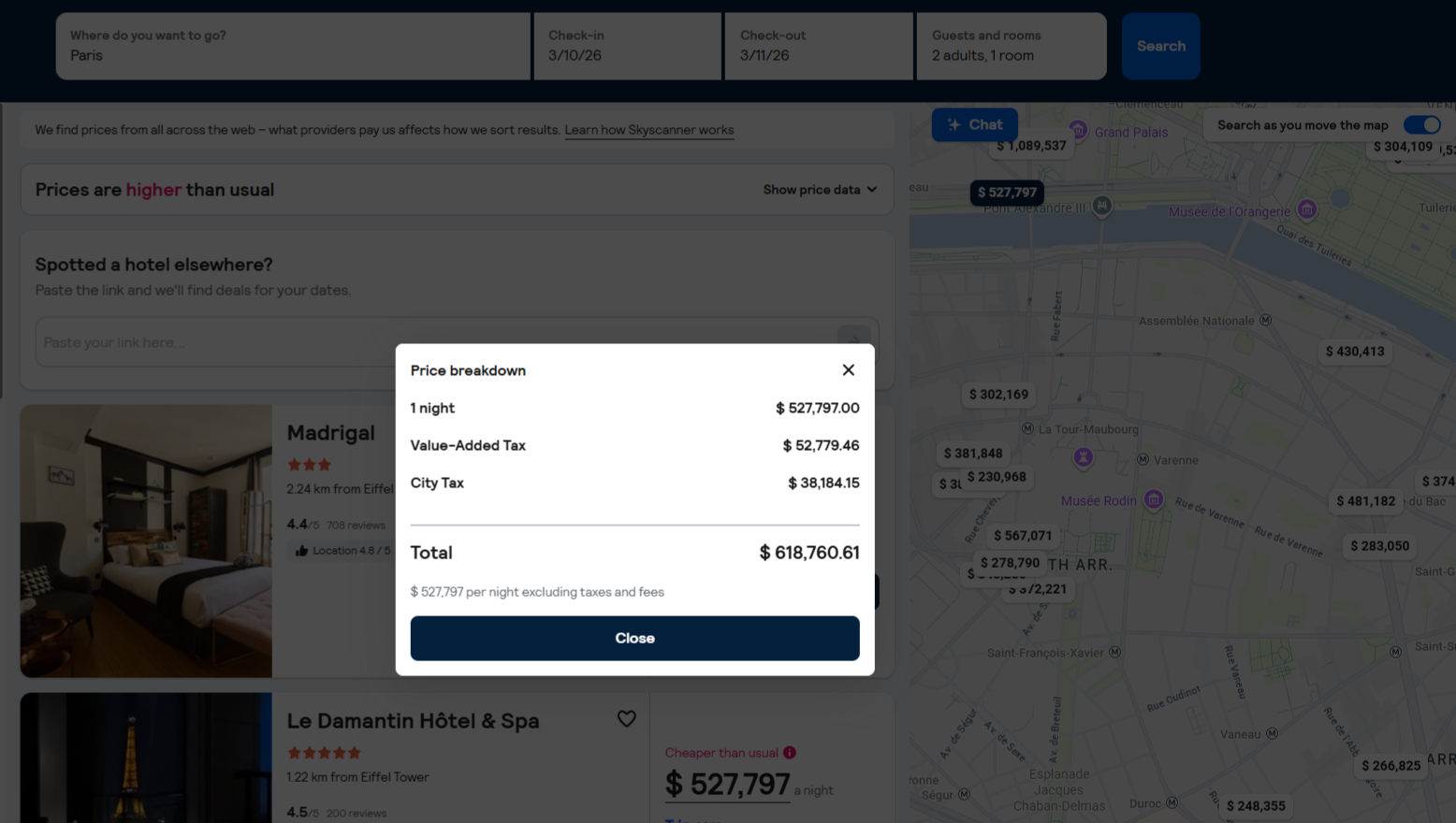
Scenario 1 - Paris hotel, Argentina market
The display price is $ 527k. A pop-up then shows additional fees and taxes, which brings the total to $ 618k.
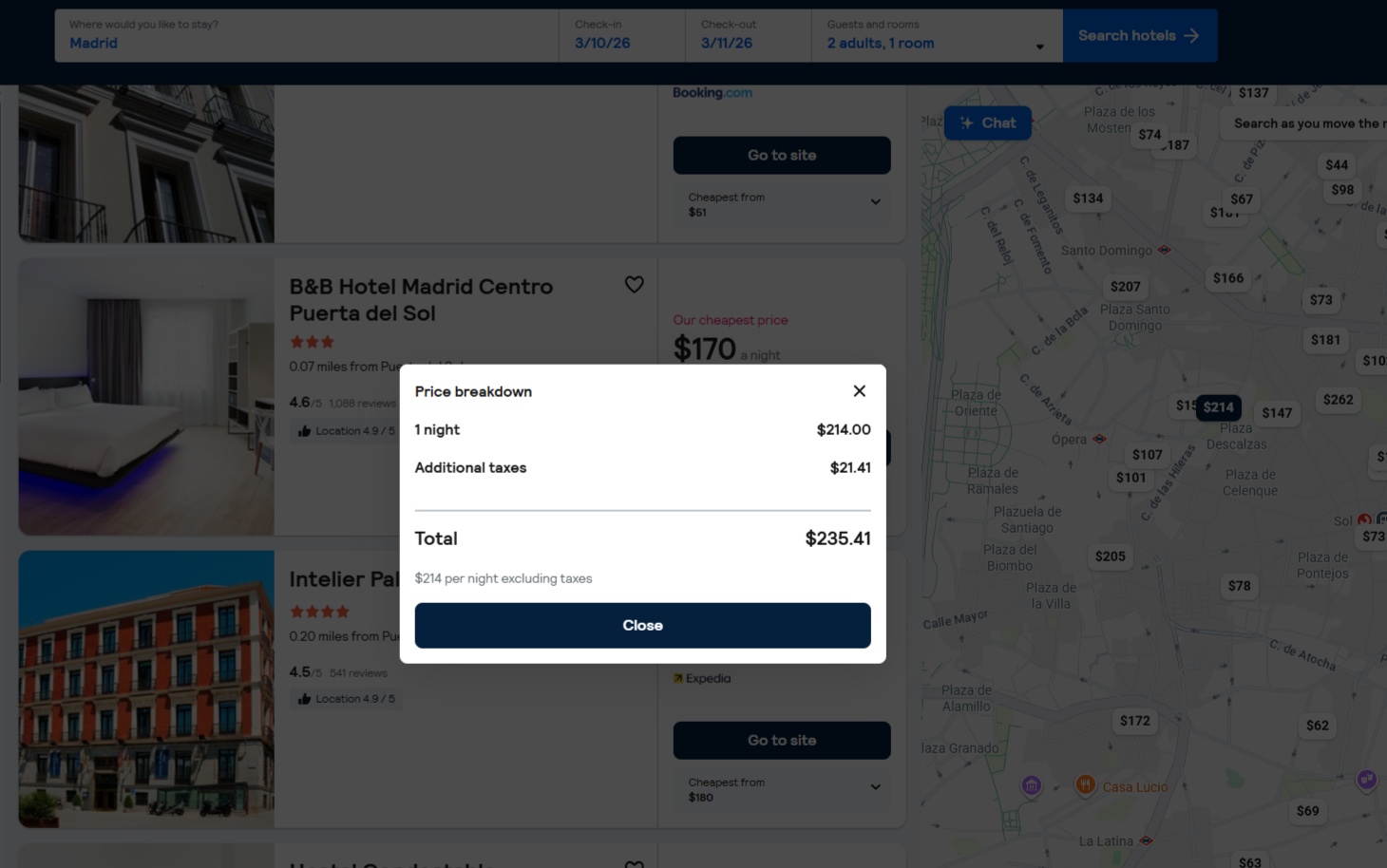
Scenario 2 - Madrid hotel, US market
The display price is $ 214. A pop-up then shows additional details, including taxes, which brings the total to $ 235.
The price_before_discount object
The price_before_discount field is only populated when a pricing option has a discounted price. It contains the original price before discount.
When present, price_before_discount provides the price and base_price sub-fields. The taxes_and_fees breakdown is intentionally not included for the pre-discount amount.
Its purpose is simply to indicate that a discount was applied and to enable displaying the difference between the current discounted price and the price pre-discount.